
Analysis and maintenance planning
Turn inspection evidence into a blade maintenance plan.
IRIS brings external inspection, internal inspection, LPS testing, offshore component evidence, and repair records into one cloud workspace for fleet-level decisions.
What IRIS is
One workspace for every inspection, finding and follow-up action.
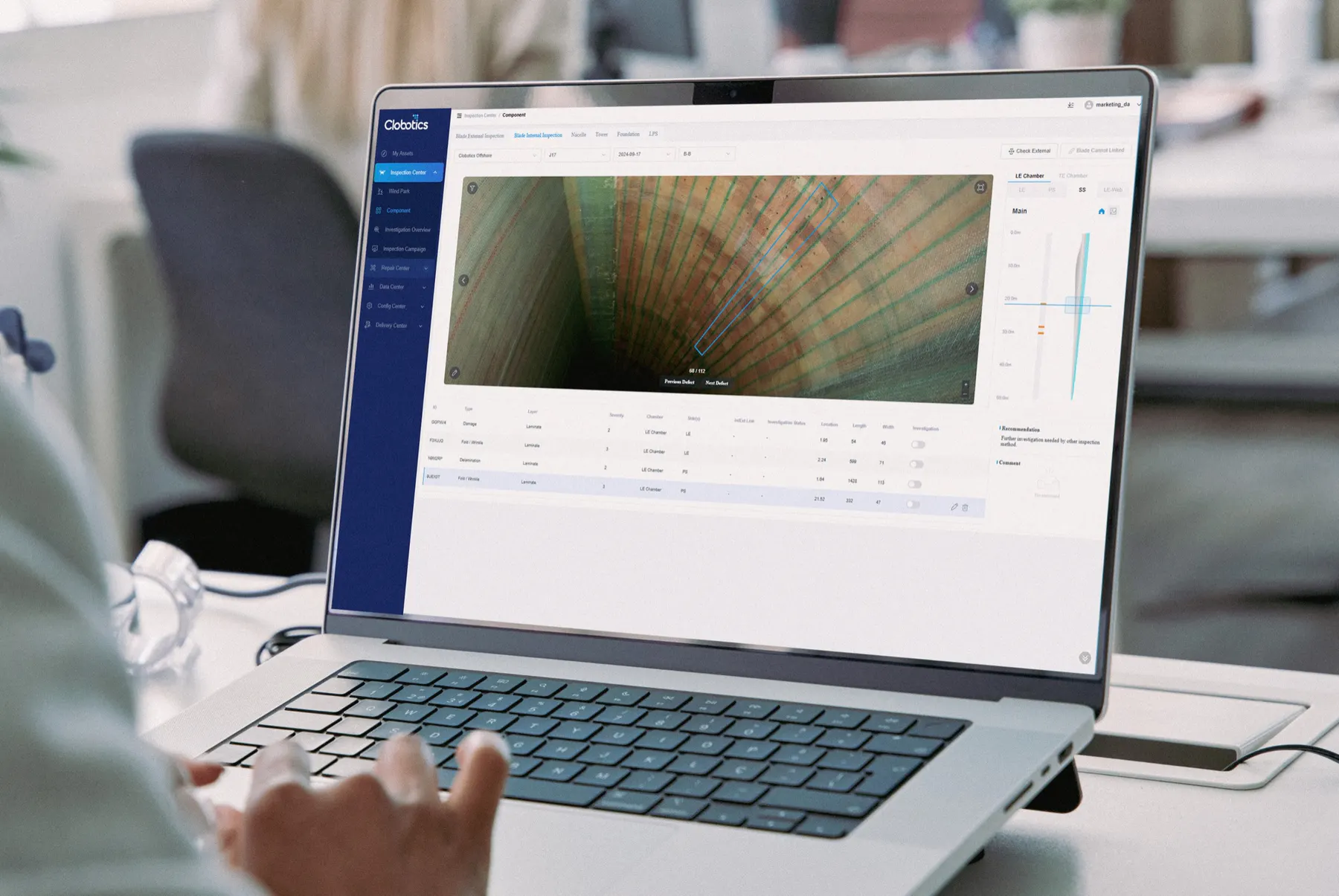
IRIS is Clobotics’ cloud-based wind asset intelligence platform. It brings external inspection imagery, internal blade findings, lightning protection measurements, engineering reviews, reports and repair history into one asset-centered record—keeping every turbine, blade, finding and follow-up action connected for condition review, comparison and maintenance planning across the asset lifecycle.
How it works
From inspection evidence to the next maintenance action.
IRIS keeps every image, finding, decision and follow-up connected to the correct blade record.
Bring evidence together
Import external imagery, internal findings, LPS measurements and campaign data into the correct asset record.
Find what needs review
AI-assisted analysis highlights likely findings and reduces obvious defect-free imagery.
Confirm and locate
Technical reviewers verify the finding, dimensions, severity and exact blade position.
Recommend the next action
Turn confirmed findings into monitoring, reinspection, engineering review or repair priorities.
Track change over time
Keep reports and actions with the blade record to see whether a finding is new, stable or progressing.
Platform evidence
See each stage in the interface.
The actual IRIS screens show how evidence becomes mapped blade context, analysis and a documented next step.
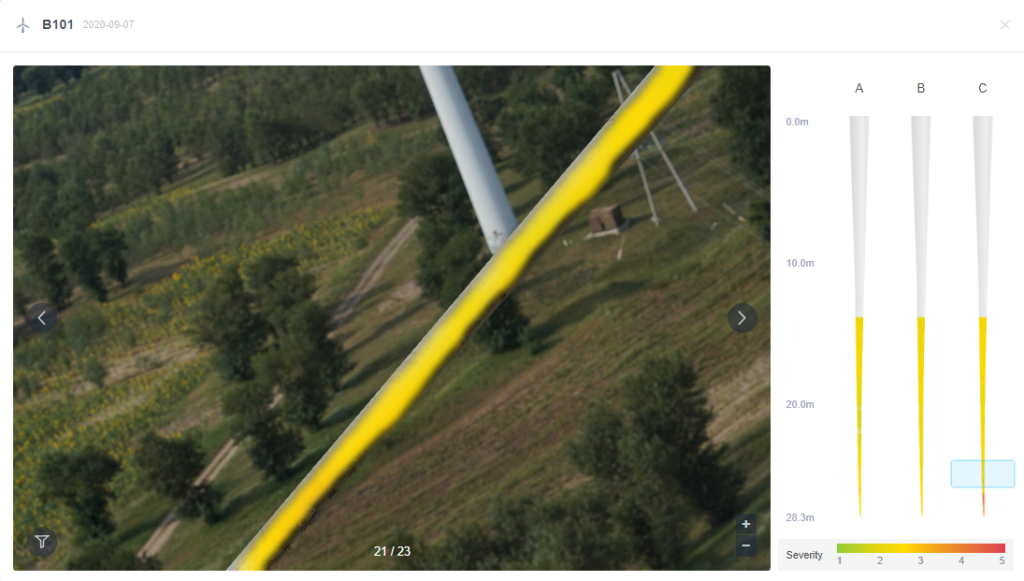
Understand extent—not only the defect label.
Visual mapping keeps the finding connected to the blade surface so technical teams can judge coverage, severity and likely repair scope.
- Leading-edge erosion heat maps
- Precise location and severity context
- Original visual evidence retained with the finding
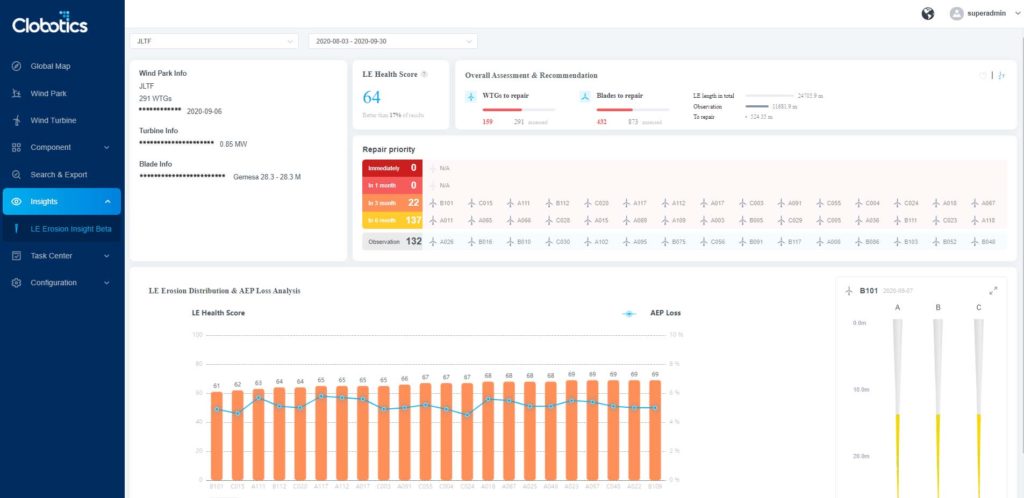
Turn condition information into a follow-up recommendation.
Analysis views help teams understand potential impact and determine whether the appropriate next step is monitoring, additional investigation, engineering review or repair.
- Blade and turbine health indicators
- Fleet and site comparison
- Recommended follow-up actions
Keep the summary connected to the underlying evidence.
Operator-ready outputs remain linked to the finding history, allowing teams to return to the source evidence and compare the blade across campaigns.
- Wind-park and turbine summaries
- Reports linked to supporting evidence
- Inspection and repair history retained over time
What operators receive
A record that survives the campaign.
DEFECT LEVEL CHANGES
FAQ
Questions operators ask about IRIS.
What inspection data can IRIS organize?
IRIS brings together external blade inspection, internal blade inspection, lightning protection testing, defect annotations, severity ratings, reports and maintenance context.
Does IRIS only work with IBIS data?
IRIS is positioned as the shared asset workspace across Clobotics inspection streams, including IBIS, KIWI and Hummingbird, with campaign and maintenance context retained around the blade record.
How does IRIS help prioritize maintenance?
Mapped findings, severity information, fleet comparisons and operator-ready summaries help teams identify which turbines and defects require action first.
Does IRIS require local installation?
No. IRIS is a cloud platform designed to be accessible to authorized teams without a local software installation.
Connect your blade data