

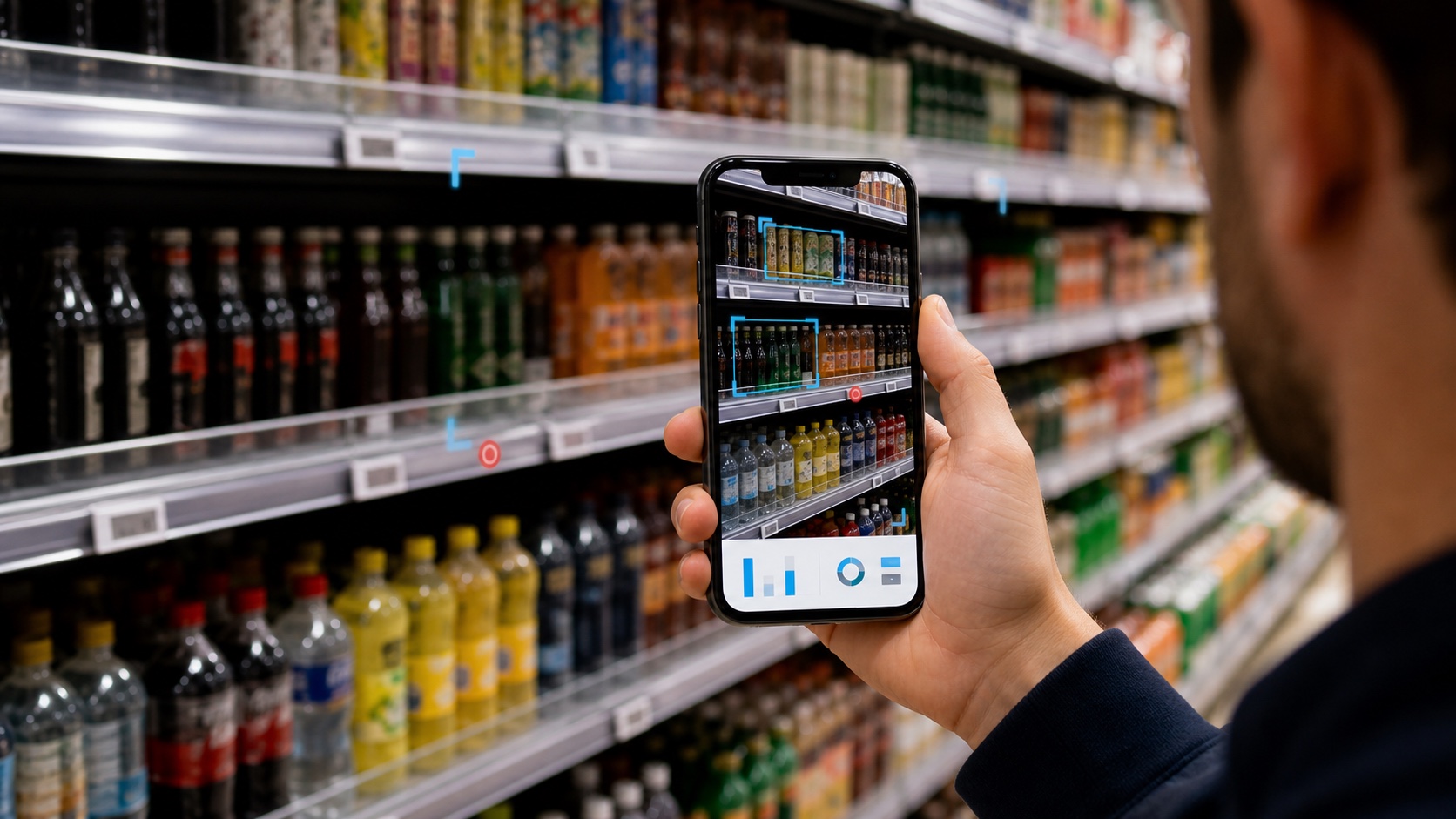
AI detects out-of-stock signals by validating shelf images, recognizing expected products, locating empty or underfilled shelf positions, comparing observations with assortment or planogram rules, and routing validated exceptions to replenishment or field teams. A visible shelf gap alone does not prove that inventory is unavailable.
That distinction is essential. A camera can observe the shelf, but it cannot assume what is happening in the stockroom, inventory system, delivery schedule, or retailer ordering process. Reliable out-of-stock detection separates what the image proves from what the business must validate.
What is the difference between a shelf gap and a true out-of-stock?
A shelf gap is visible empty or unexpectedly underfilled space in a shelf image. A true out-of-stock means the product is not available for sale and cannot be replenished immediately from inventory accessible to the store.
One may indicate the other, but they are not identical.
| Shelf observation | Possible interpretation | Recommended action |
|---|---|---|
| Empty expected position | Shelf OOS, distribution gap, delayed replenishment | Check assortment, inventory and backroom stock |
| Product has very low facings | Imminent OOS or weak execution | Replenish or increase facings if required |
| Competitor occupies the space | Misplacement or planogram exception | Correct placement and verify compliance |
| Product is behind another item | Blocked or occluded, not necessarily OOS | Reface and recapture evidence |
| Product moved to another shelf or display | Misplaced item or promotional relocation | Validate store layout and campaign rule |
| Flexible shelf layout | Gap may be acceptable | Apply channel- and store-specific rules |
For this reason, a strong system should report an out-of-stock signal or availability exception when the image alone does not establish inventory status.
The image-to-alert workflow
1. Capture the shelf
Evidence may come from a field representative’s photo, guided video, a connected shelf or cooler camera, or an autonomous scanning system. The capture method must cover the shelf area required for the availability decision.
2. Validate image quality and task context
The workflow checks whether the evidence belongs to the expected store, visit, aisle, category, and task. Blur, glare, severe occlusion, incomplete coverage, or duplicate images can make an apparent gap unreliable.
3. Recognize visible products
Computer vision detects product regions and classifies visible SKUs or product families. Dense assortments may require fine-grained recognition because packaging differences can be small and local variants may share similar designs.
4. Locate gaps and expected positions
The system identifies empty space, low product density, missing expected SKUs, or differences from an assortment or planogram reference. Detection can operate at shelf, bay, row, column, product, or facing level depending on the program.
5. Validate the exception
Business rules and supporting data help determine whether the observation is meaningful. The system may compare the image with an authorized assortment, planogram, recent observation, inventory signal, store format, promotional display rule, or human review.
6. Prioritize and alert
Validated exceptions are organized by store, SKU, severity, duration, commercial priority, and responsible team. An alert should state what was observed and what needs to be checked or corrected.
7. Close the loop
The field or store team investigates the cause, replenishes or corrects the shelf where possible, and captures completion evidence. The result can then update the execution record.
Where false positives come from
False positives occur when the system reports an availability problem that is not a real or actionable out-of-stock. Common causes include:
- Occlusion: another product, shelf strip, reflection, shopper, or display blocks the target.
- Misplacement: the product is present elsewhere in the store or shelf.
- Flexible planograms: the visible space is acceptable for that store format.
- Packaging change: the product is present in an unfamiliar pack or promotional design.
- Incomplete image coverage: part of the expected shelf is outside the frame.
- Price-tag mismatch: an outdated or displaced shelf label suggests the wrong expected position.
- Low facings: a product is present but visually overwhelmed by empty space.
- Temporary shopping activity: a shopper or recent purchase creates a short-lived gap.
- Master-data error: the system expects a SKU that is not authorized for that store.
A reliable program should measure not only model recognition but also evidence validity, exception precision, review rate, time to action, and closure quality.
Manual audits vs. AI out-of-stock detection
| Dimension | Manual audit | AI-assisted detection |
|---|---|---|
| Counting | Performed by the representative | Automated from valid visual evidence |
| Consistency | Varies by training and interpretation | Applies configured rules consistently |
| Speed | Results may be delayed until forms are submitted | Can return findings during or soon after capture |
| Context | Strong human judgment | Requires business rules and supporting data |
| Scale | Limited by visit frequency and labor | Can process larger image volumes and connected sources |
| Exceptions | Representative decides what matters | System prioritizes; humans review uncertainty |
| Action | Often depends on the representative | Can route structured tasks and retain closure proof |
AI should reduce repetitive observation and counting, not remove operational judgment. Store teams still determine whether inventory exists, whether the shelf can be replenished, and whether another commercial rule explains the condition.
Connecting detection to replenishment and field tasks
An alert is useful only when it reaches a workflow capable of resolving it. Depending on the operating model, a shelf-gap exception may be routed to:
- A store associate for immediate replenishment.
- A field representative for correction during the current visit.
- A supervisor when the problem repeats across visits.
- A distributor or sales team when the SKU is not reaching the store.
- A category or key-account team when the issue reflects assortment or retailer execution.
- An inventory or ordering workflow when shelf and stock signals disagree.
The task should include the store, shelf or category, affected product, image evidence, observation time, reason for the alert, priority, and required verification. A later image or system event can close the loop.
This reflects a broader Clobotics principle: detecting a shelf gap is only the beginning; the value comes from helping the right team correct the condition while the selling opportunity still exists.
Choosing a capture model
Different observation methods support different frequencies and operating costs.
- Mobile photos work well for targeted shelf, display, and SKU checks during scheduled visits.
- Guided video can cover long shelves and dense assortments with better continuity.
- Connected cameras can monitor selected shelves or coolers between visits.
- Autonomous scanning can provide repeated observations across larger store environments.
- Hybrid programs combine field context with higher-frequency automated monitoring.
The best design starts with the cost of the availability problem, the required response time, the store environment, and who will act on the alert.
What teams should measure
A useful OOS detection program needs operational metrics as well as model metrics:
- Valid capture rate.
- Product-recognition performance for the target assortment.
- Precision of availability exceptions.
- Human review or uncertainty rate.
- Time from capture to validated alert.
- Time from alert to action.
- Percentage of exceptions resolved during the visit.
- Repeat exception rate by store and SKU.
- OSA improvement over a defined baseline.
- Commercial outcomes where attribution is supportable.
How Clobotics supports on-shelf availability
Clobotics supports mobile image and guided-video capture, connected SmartView cameras, and autonomous retail scanning workflows. Computer vision can identify products and return structured availability results for a configured assortment, while field workflows help organize exceptions and next actions.
Explore the dedicated On-Shelf Availability and Out-of-Stock Detection solution. That page explains the capture options and operating workflow; this guide provides the decision logic behind gap detection and validation.
Related resources:
- What Is Shelf Intelligence?
- How Retail Product Recognition Works
- Retail Execution Verification
- Clobotics Retail & CPG
- Global beverage retail execution case study
Frequently asked questions
Can AI prove that a product is out of stock?
An image can prove that a product is not visible in the observed shelf area. Confirming a true inventory OOS may require assortment, inventory, backroom, order, or human validation.
Is every empty shelf space an out-of-stock?
No. Empty space may result from low facings, displacement, occlusion, flexible layouts, shopping activity, a distribution gap, or an incorrect product expectation.
How quickly can AI detect a shelf gap?
Processing speed depends on capture, connectivity, image complexity, model configuration, and review requirements. Clobotics reports that server-side processing for a typical image with around 80 facings usually completes in under five seconds, excluding network transfer; that should not be interpreted as a guaranteed end-to-end alert time.
Can out-of-stock detection work without fixed shelf cameras?
Yes. Field representatives can capture photos or guided video during visits. Fixed or connected cameras are useful when selected zones need more frequent observation.
How can teams reduce false alerts?
Use guided capture, evidence-quality checks, current assortment and master data, store-specific rules, confidence thresholds, temporal comparison, integration with supporting systems, and human review for uncertain cases.
What should an out-of-stock alert contain?
It should identify the store, product, observed location, evidence, time, reason, confidence or validation status, priority, and the action required to investigate or correct the issue.